 Thunder Pigeon
Founder & Developer
Ten quick questions a day, and one unimpressed pigeon.
A revision app for Year 7 to GCSE, built for our own two children. They answer ten questions a day on their phone, on topics made from whatever the teacher gave them. If they get one wrong, they're asked it again at the end, and again over the next few days until they've learned it. Sarah and I can see which ones they're finding hard.
It started with worksheets
Sarah and I have two children with ADHD, one in Year 7 and one in Year 10. For a long while our revision system was whatever came home from school, turned into fill-in-the-blank sheets and three-round quizzes at the kitchen table. It worked, in the sense that the children learned things. It also produced a pile of paper nobody could find anything in, and every new topic meant another evening making another sheet.
What we wanted was one place for all of it. Somewhere a new topic could go in the week the school set it, and somewhere the children could work through it a few minutes at a time, in a way that suits how they concentrate. So in November 2026 the pile of paper became an app. The same kinds of questions, ten at a time, on their phones.
The children helped with a lot of it, including the name. I'd like to tell you Thunder Pigeon was a considered branding decision. It was not. But it's the first app I've built where the users shout feedback at me across the dinner table, and it's better for it.
What a child actually does
Opens the app, answers ten questions, closes it again. About five minutes. The pigeon brings something back, and the home screen says that's today done.
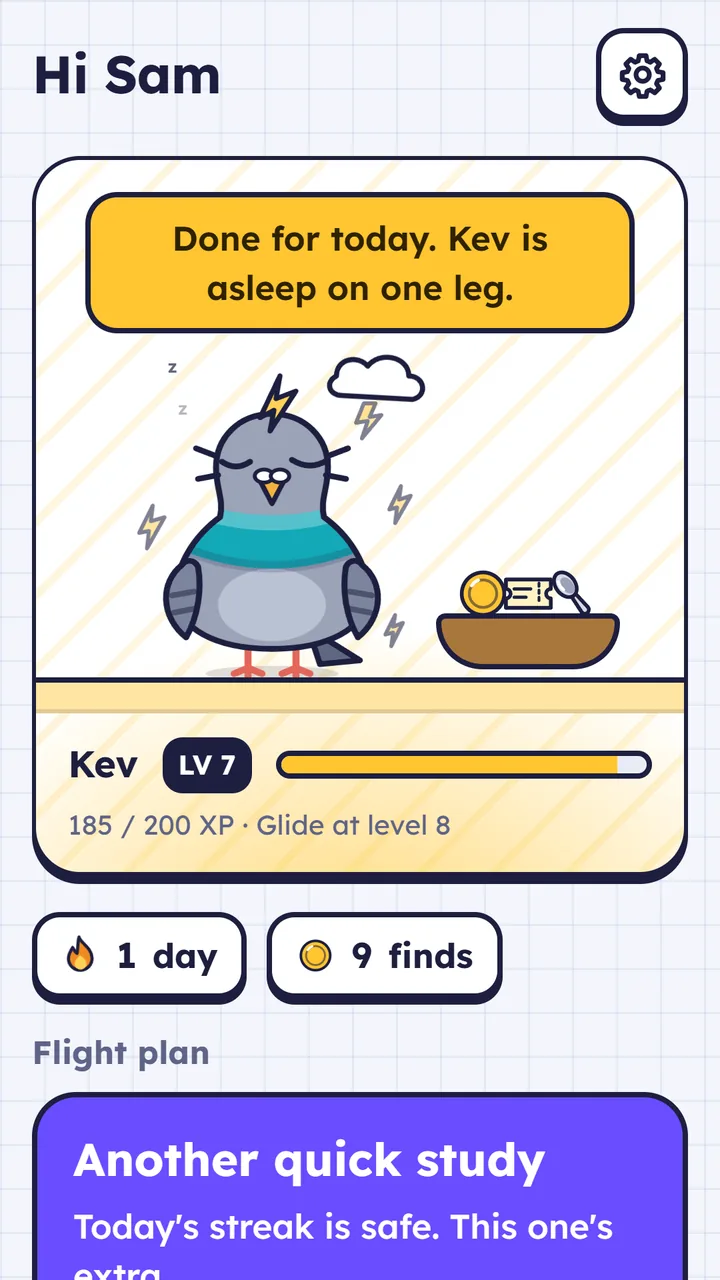
The Flight plan. One button at the top says what to do next.
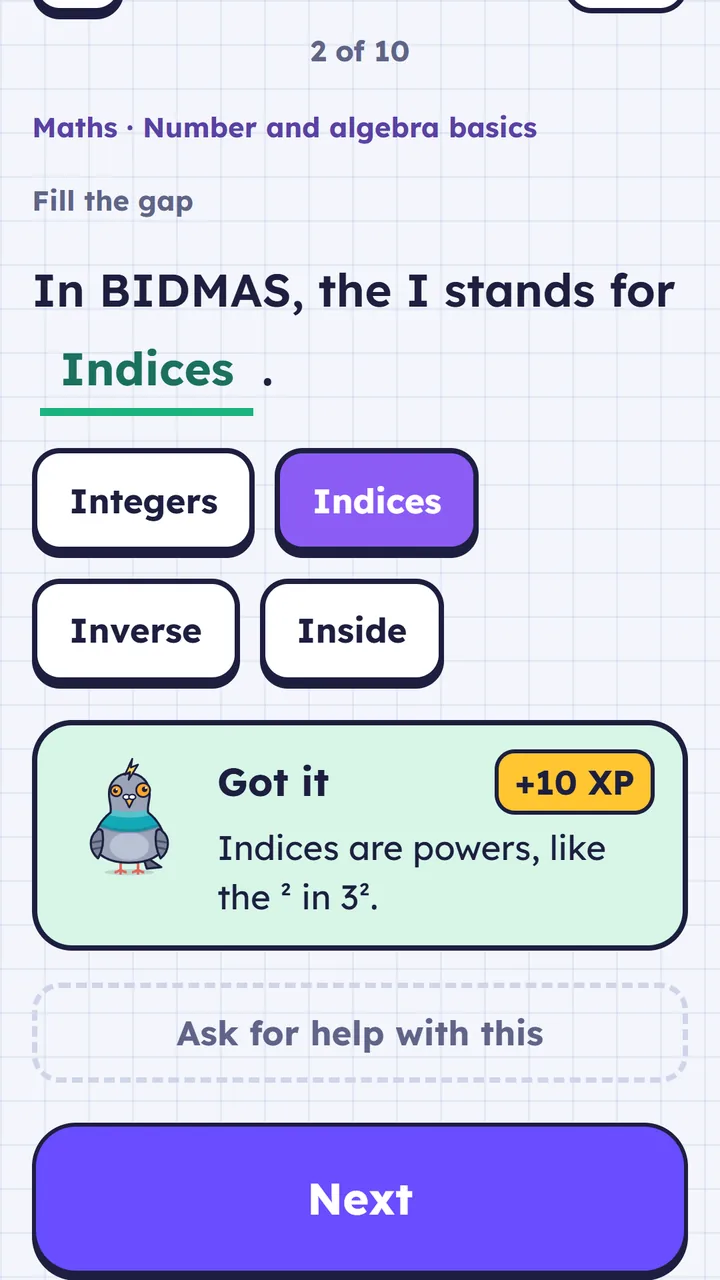
One question at a time. No clock counting down.
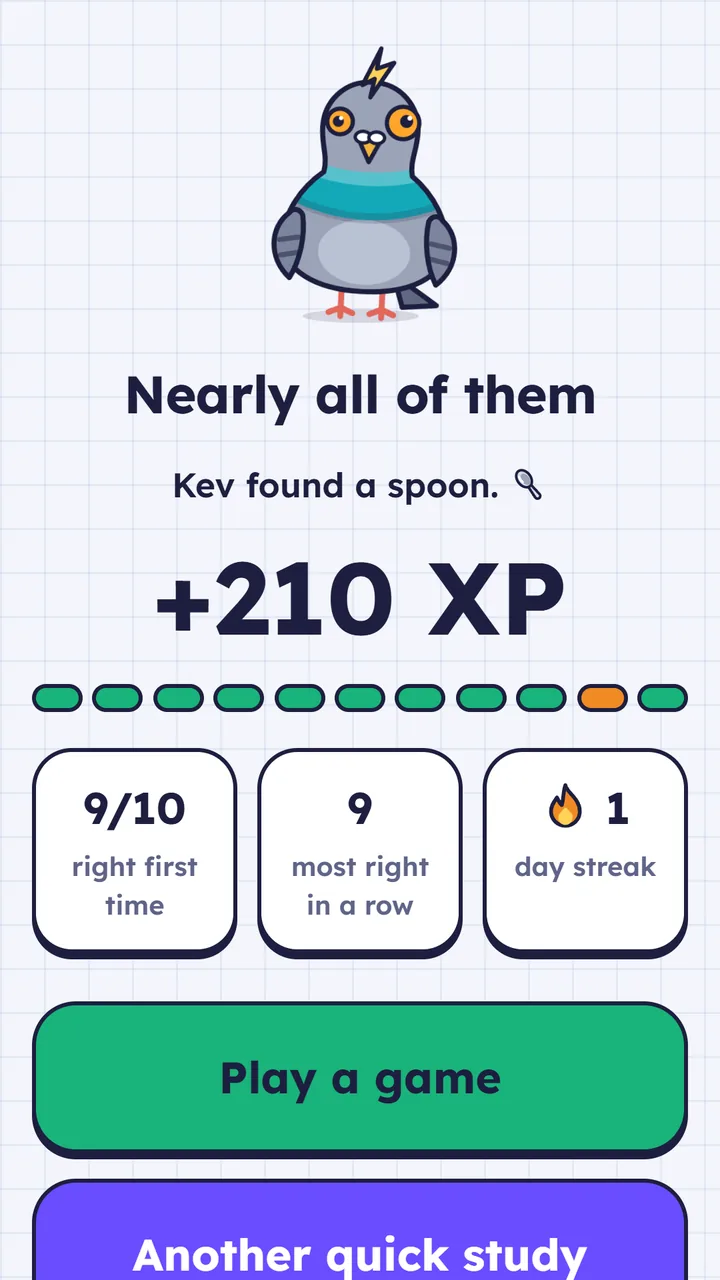
The end of a quick study. Six or more right earns a short game.
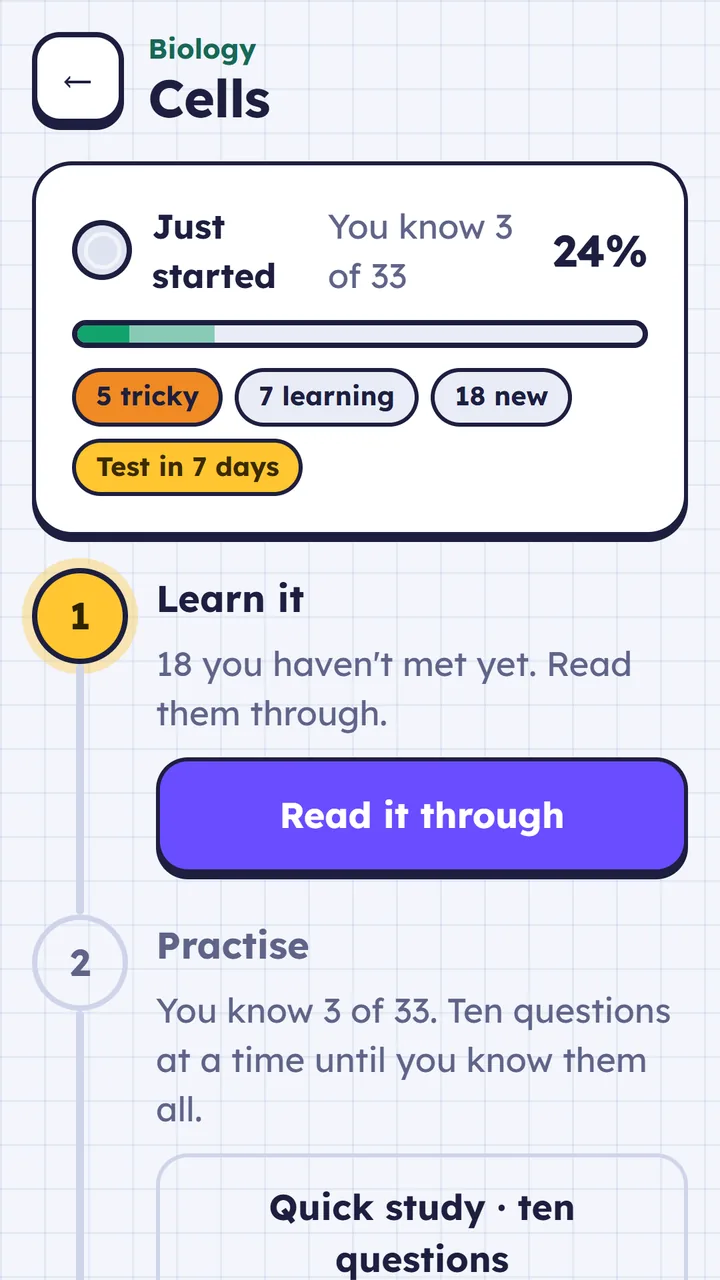
Each topic, step by step: learn it, practise, boss round, keep it.
Get a question wrong and it comes round again at the end of the same ten, marked "One you missed", with the answers in a different order. Then it comes back the next day, three days later, a week later, sixteen days later. Three right in a row and the app says "You know this". That's spaced repetition, which every revision app claims to do and most do by making you build the flashcards yourself.
The questions get harder as they learn. Something new starts as multiple choice. Once they're getting it right it becomes a missing word to pick from a few choices, and after that they type it themselves. There are number answers for maths and the sums in science, steps to put in order for methods, and exam-style questions in a boss round that they mark against the mark scheme.
If there's a test coming, the test goes to the top of the Flight plan, and for the two weeks before it the quick studies are on just its topics. If there isn't, it's a quick study. Once they've done one, that's today done. Nobody has to keep a timetable, which for a child with ADHD is most of the battle.
The pigeon
Each child names their own and picks its colour. Kevin, Brenda and Nigel are among the suggestions. It reacts to every answer, and it is not easily impressed.
It brings something back from every quick study. Some finds are rare, some only turn up at Christmas, and the traffic cone takes seven days in a row. Every find is worth crumbs, and crumbs buy the pigeon a beanie or a scarf. Miss a day and all they lose is their streak, and seven days in a row earns a freeze that covers one. It was the part I was least sure about building, and it's the part that gets talked about most in our house.
- Chip
- Bolt
- Spoon
- Coin
- Glove
- Bus ticket
- Key
- Odd sock
- Traffic cone
seven days in a row
What isn't in it
Every one of these was a decision, usually because our own two had met the opposite in some other app.
- No adverts, in the app or on the parent pages. Nothing about a child is sold or shared for marketing.
- No chat, and no way to share anything with anyone.
- No leaderboards, including between brothers and sisters.
- No clock counting down on a question.
- Nothing to buy in the app. Crumbs can't be bought.
- No sign-in for children. A parent links the phone with a six-digit code, so there's no email address or password for an eleven-year-old to lose.
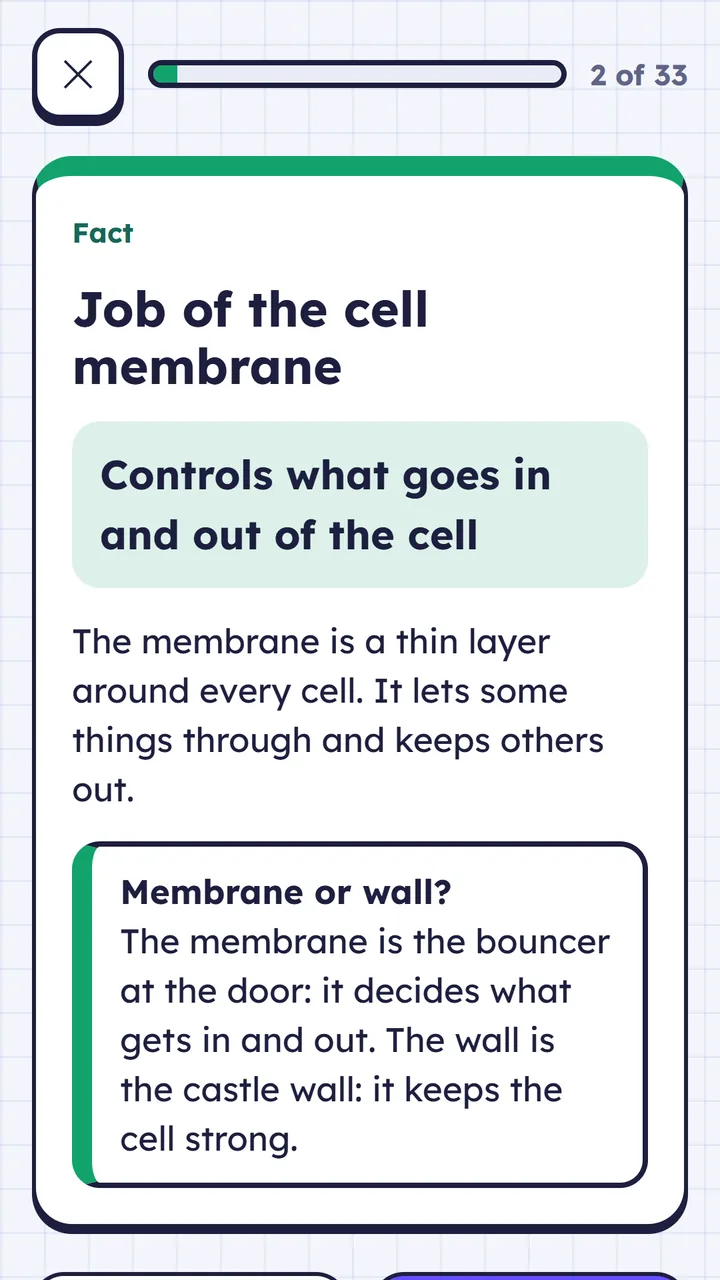
Topics written by Claude
The part that makes it work for a real school year is where the topics come from. A parent sends a photo of whatever the teacher handed out: a topic list, the slides, a page of key words. Claude, through the Anthropic API, turns it into a topic of twenty to thirty-five things to learn, each with several ways of being asked. It arrives as a draft, the parent checks it before the child sees it, and the upload is deleted once the topic is made.
Claude is given the school year and the topics the child already has. It is never given the child's name or how they're getting on, and the children's phones never talk to it at all. That boundary is built into the system, not written in a policy.
It started with Sarah writing topics in Claude with the app's MCP connector plugged in, which is still there for a parent who wants to use their own Claude account. Most parents won't, so the photo upload does the same job without one.
Under the hood
.NET 10 throughout. The learner app is Blazor WebAssembly, installable as a PWA, and the same Razor components are hosted in a .NET MAUI Blazor Hybrid app for the App Store and Google Play. The server is ASP.NET Core minimal APIs on MongoDB, on Azure App Service in the UK, with Stripe taking the Family plan payments.
The bit I'd point another developer at is the sync. The app caches its topics and keeps the answer log on the device, so it works on a bus with no signal. Progress is rebuilt from the answer log rather than stored as a number, which means two phones for the same child can't overwrite each other, and a mistake in the scoring can be put right after the fact. Every item in a topic has an id that never changes, because a child's progress hangs off it.
The engine (spaced repetition, building each run of ten, XP, streaks) is plain C# in a shared library with xUnit tests, and no business logic lives in a Razor component. I've been bitten by that one before. The pigeon is one SVG, drawn once, that the whole app reuses: the arcade games take a picture of it, hat included, rather than keeping a second copy.
Prices
Everyone starts on Free, with no card. Both plans cover up to four children.
Free
£0
For as long as you like
The starter topics for their year, whole. The first eight things to learn of each topic you add, with every question on them. Everything in the app.
Family
£59 a year
or £9.99 a month, cancel any time
Every thing to learn in every topic, and revision set up from each new list that comes home.
Our own two use it every school day, and it changes when they tell us something is annoying. Other families can use it too. It comes with five starter topics, and the rest come from your child's school.
Visit thunderpigeon.app