TestPlan
Test Management for Teams Who Ship.
Plan → Test → Ship
Know what's tested. Know what's not. Organise tests by features, track coverage gaps, and ship releases knowing exactly what's been verified.
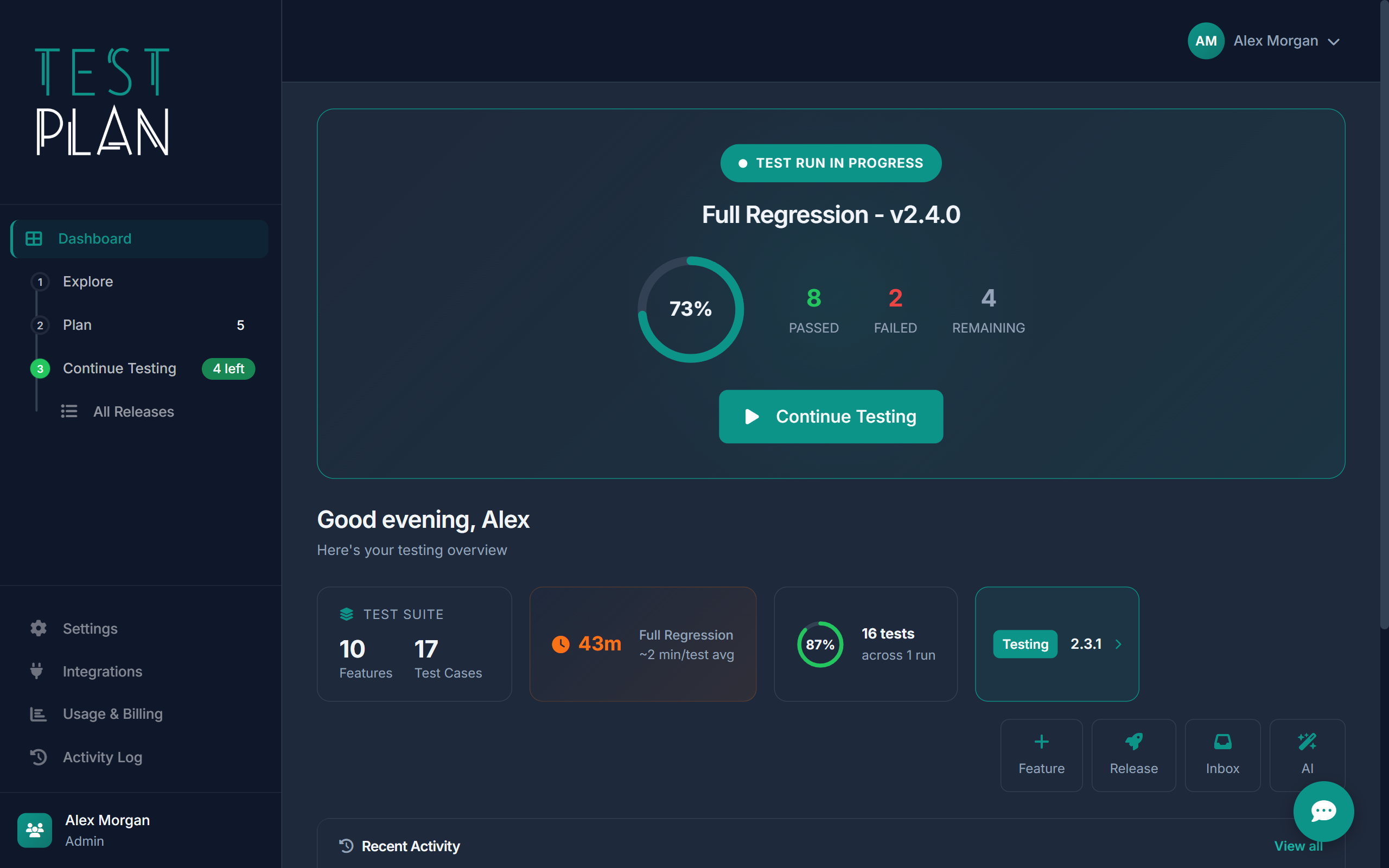
How TestPlan Works
From code change to confident release, all in one place.
Flag Changes
Code changes land in your inbox. Flag what needs testing.
Write Tests
Create test cases linked to features. AI can help bootstrap them.
Run & Track
Execute test runs with real-time pass/fail tracking and notes.
Ship Confidently
Release with a complete audit trail of what was tested.
Feature-First Testing
Organise tests around what actually matters - your product features. See coverage percentages at a glance, spot gaps immediately, and know exactly which features have been verified.
- Create features with descriptions and categories
- Link test cases directly to features
- View coverage percentages per feature
- Track feature status: Active, In Development, Deprecated
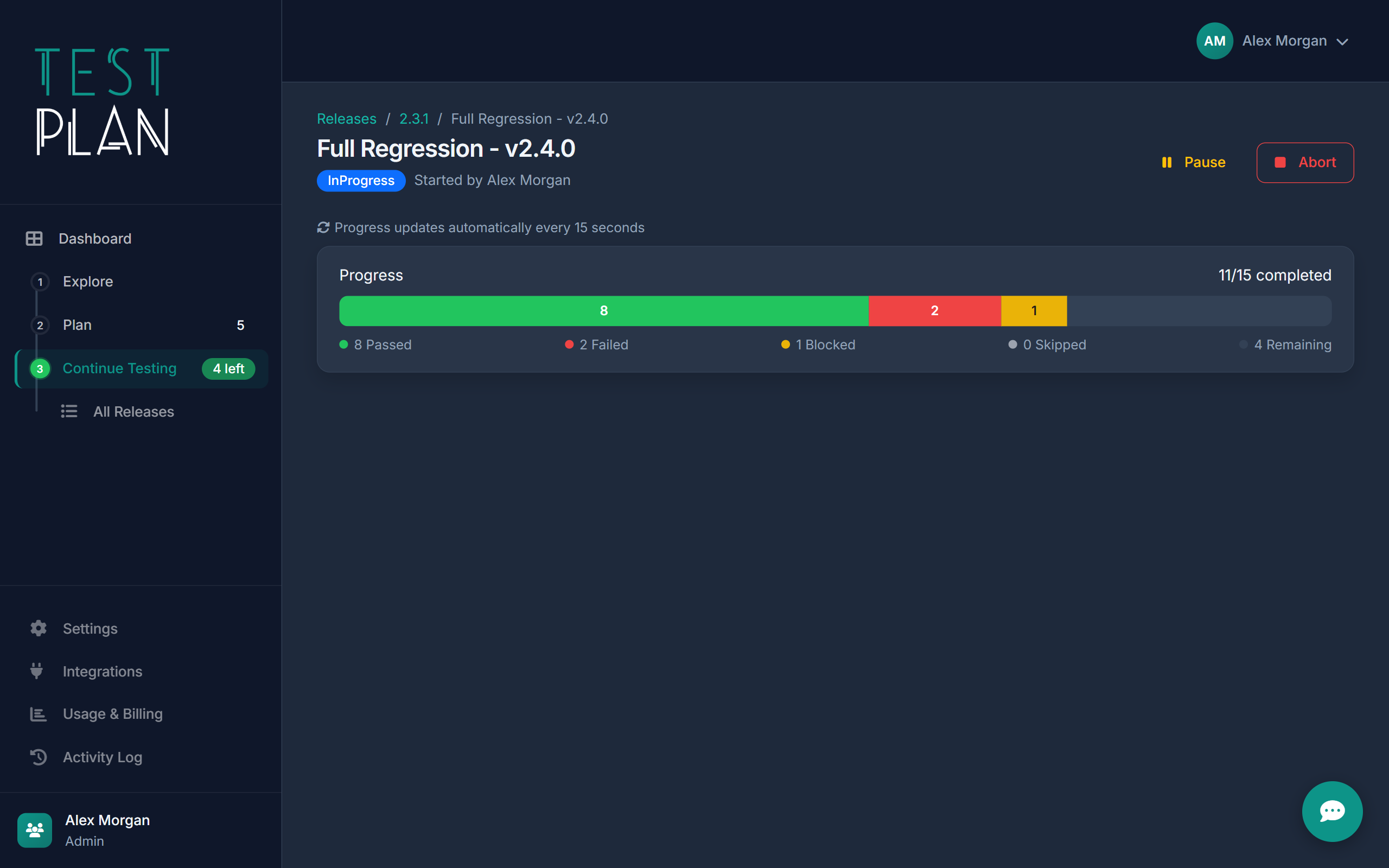
Live Test Execution
Create a test run, assign it, and watch results come in. Real-time pass/fail tracking with notes, screenshots, and time logging built right in.
- Real-time pass/fail/blocked status
- Notes and screenshots per test
- Estimated vs actual time tracking
- Feature-based grouping in the sidebar
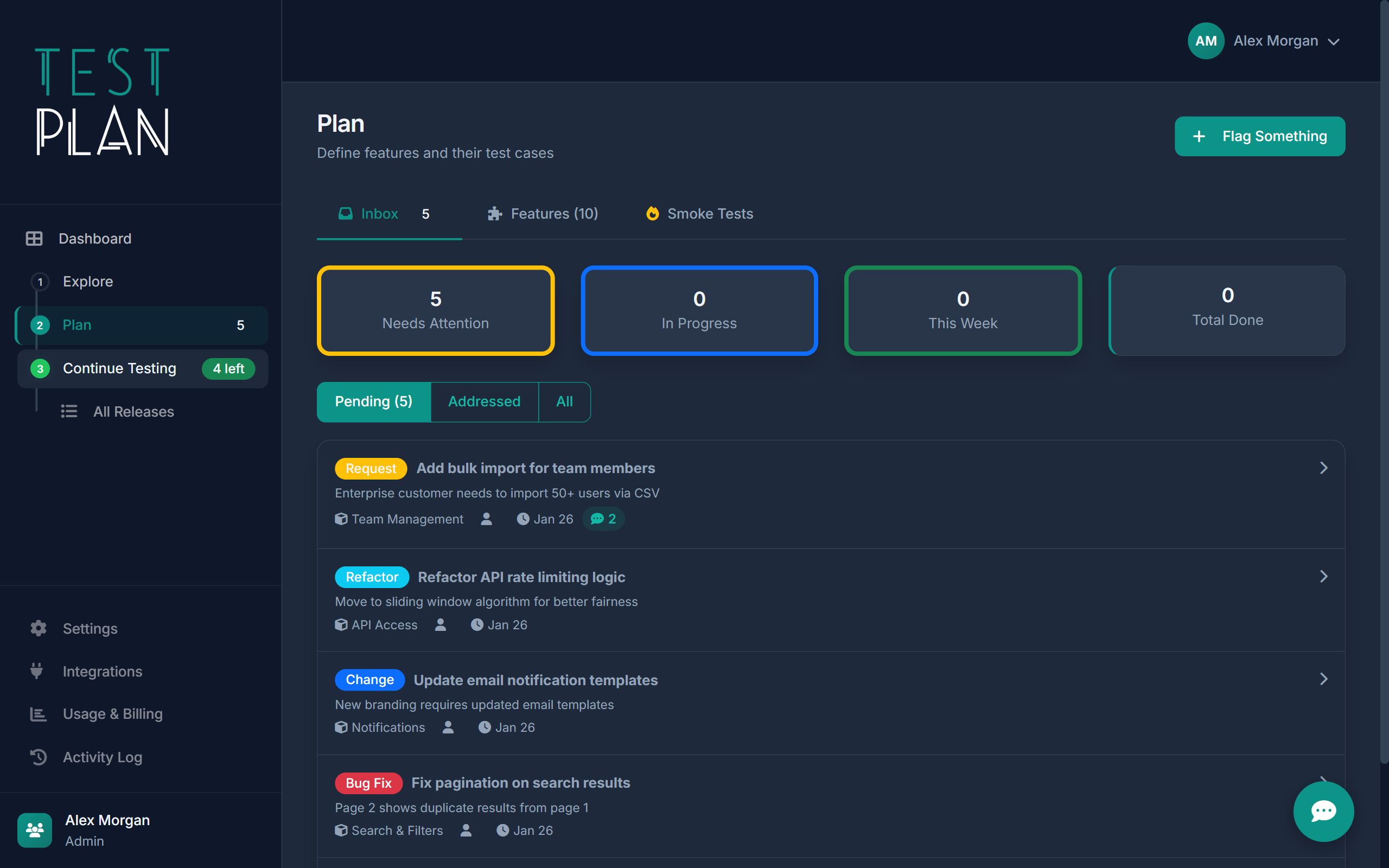
Release Workflow
Move releases through Draft, Testing, and Released stages. Track coverage, manage pre and post-release issues, and maintain a complete audit trail.
- Visual release pipeline: Draft → Testing → Released
- Coverage tracking per release
- Pre and post-release issue management
- Complete audit history with before/after values
Exploratory sessions with time tracking and findings linked to features
Exploratory Testing
Not everything fits a script. Start a session, set a charter, and capture findings as you go. Time is tracked automatically, and findings are linked back to features.
- Session-based ad-hoc testing
- Charter goals to keep sessions focused
- Automatic time tracking
- Bug capture linked to features
$ claude
> "Create test cases for the login feature based on the codebase"
Using TestPlan MCP tools... 6 test cases created and linked to Login feature.
AI-Powered via MCP
TestPlan exposes 80+ Model Context Protocol tools. Connect Claude Code, GitHub Copilot, or Cursor and let AI help bootstrap test suites from your codebase in minutes.
- 80+ MCP tools for full test management
- Works with Claude Code, Copilot, and Cursor
- Bootstrap full test suites from codebases
- No proprietary AI or token charges
Set Up in Under 5 Minutes
Free to start. No credit card required.
1. Add Your Features
List the features in your product. Categorise them by area.
2. Write Test Cases
Create tests with steps and expected results. Or let AI generate them.
3. Run & Release
Execute test runs, track results, and ship with confidence.
Ship Confidently
Stop guessing what's been tested. Start knowing.
Try TestPlan FreeNo credit card required